
Hibuddy is a free cannabis price comparison app for iPhone and iPad that pulls menu items, prices, and deals from government-licensed retailers into one simple interface. Instead of bouncing between a dozen online storefronts, you search a specific product or browse by category or brand, then see the latest prices from retailers in your area side by side. For most listings, you’re one click away from the retailer’s own online storefront to place your order.
If you’ve ever spent twenty minutes checking menus just to find out the same product costs different amounts across town, you already get the appeal. There’s also a deals section that surfaces the best offers near you.
Hibuddy is a comparison tool, not a store, so it won’t replace good judgment about what suits you. If you’re still getting your bearings, our vaping weed guide covers the basics before you start shopping. Below, we break down how the app works, where it falls short, and how to shop smart and stay safe.
What Is Hibuddy, Exactly?
Think of Hibuddy as a comparison shelf for cannabis. Instead of opening a separate tab for every dispensary, you get one place that gathers menu items, prices, and deals from government-licensed retailers and lays them out side by side.
The idea is simple, and it’s useful. Menus change, prices vary from shop to shop, and nobody enjoys scrolling through five different sites just to find out who’s charging what. Hibuddy does that legwork. You can browse by category or brand, or search for a specific product, and it shows the latest prices from retailers in your area. There’s also a deals section pointing to the best offers nearby.
It helps to be clear about what it isn’t. Hibuddy is a comparison and discovery tool, not a store. You find the product and the price you like, then for most listings you’re one click away from your local retailer’s own online storefront, where the order actually happens. The retailer handles the sale, and Hibuddy simply gets you there faster.
It’s free to use, and the app is available on iPhone and iPad. For anyone who likes knowing what the options are before spending a dime, that kind of side-by-side view takes a lot of the guesswork out of shopping.
Key Details at a Glance

Here’s a quick rundown of what’s verified about Hibuddy so far. It’s a cannabis shopping comparison site and app that pulls menu items, prices, and deals from government-licensed retailers into one place, so you aren’t hopping between menus yourself.
| Feature | What It Means for You |
|---|---|
| Price comparison | See prices for cannabis products near you aggregated in one simple-to-use interface |
| Browse by category or brand | Explore options by product type or by a brand you already like |
| Search | Look up a specific product and get the latest prices from retailers in your area |
| Deals section | Check the best deals in your area without digging through individual menus |
| One click to the retailer | For most listed prices, you’re one click from your local retailer’s online storefront to order |
| Free, on iPhone and iPad | No cost to use, and it’s available on both Apple devices |
A couple of things are worth reading between the lines here. Hibuddy is built for comparing and discovering, so the ordering itself happens on the retailer’s own storefront rather than inside the app. That’s a handy setup if you like keeping a single place to scout prices before you commit.
I’ve kept this list to what’s actually confirmed. Details like exactly who the app is designed for aren’t spelled out, so rather than guess, it’s smart to check the app’s official listing for the most current information before you download.
How Comparison Shopping Actually Works in the App
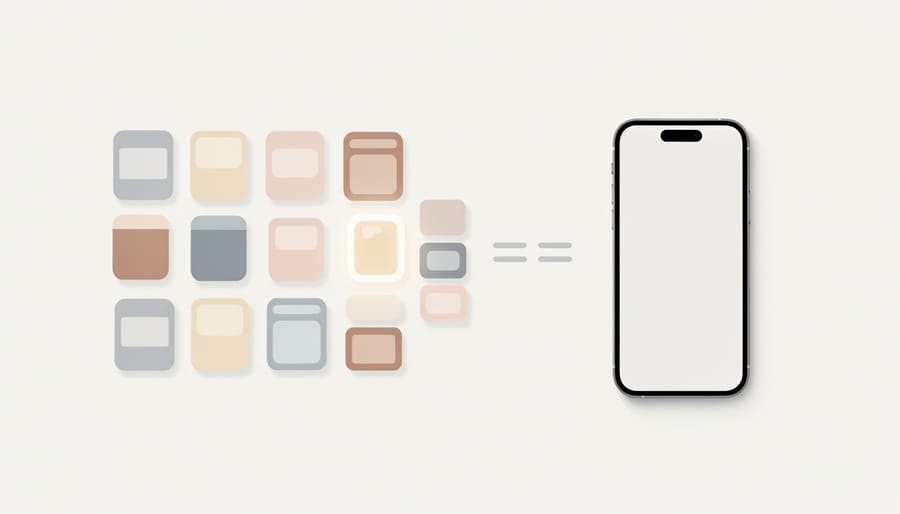
Browsing by Category or Brand
If you’re new to cannabis shopping, browsing by category is a low-pressure way to see what’s out there. You can scroll through the different product types, notice what’s available near you, and get a feel for typical prices before you commit to anything. It beats staring at a blank search bar when you don’t yet know what to type.
If you already know what you like, brand browsing is the faster route. Pick the label you trust, and you can see how its prices stack up across the retailers in your area. Prefer to skip browsing altogether? You can search for a specific product directly and go straight to the latest prices.
Hunting for Deals Without the Tab Overload
Deals are where comparison shopping really pays off. Instead of opening a dozen retailer sites to catch a promotion, Hibuddy has a dedicated deals section that surfaces the best offers in your area in one spot. That’s a nice shortcut when you just want to see what’s worth a look.
A little realism helps, though. Deals vary from one retailer to the next, and what shows up depends on where you are. A promotion you spot today might change tomorrow, so treat the deals section as a starting point, not a promise.
Before you commit, click through to the retailer’s storefront and confirm the final price, any conditions, and the product details. A quick double-check beats a surprise at checkout.
The Pros and Limits of Using a Comparison App
A comparison app solves a real, everyday annoyance: instead of opening one menu after another, you see prices and deals side by side. Here’s how that trade-off shakes out.
Pros
- The app is free, so checking prices costs you nothing.
- It gathers menu items, prices, and deals from government-licensed retailers in one place.
- You can browse by category or brand, or search for a specific product.
- For most listed prices, you’re one click from the retailer’s online storefront.
Cons
- The lowest price isn’t always the best product or the best deal for you.
- Listings depend on retailer data, so details can differ from what you see at checkout.
- It’s currently confirmed only for iPhone and iPad.
- Prices alone won’t tell you about quality, lab testing, or service.
The biggest strength is time. Skipping the tab-juggling is a real win, and a dedicated deals section means you spot savings without hunting for them.
The thing to stay thoughtful about is that price is only one piece of the puzzle. Product quality, available lab testing information, a retailer’s reputation, and how good their service is all matter just as much. A rock-bottom number means little if you can’t tell what you’re actually getting. It helps to understand the basics of what you’re buying too, like the difference in CBD vs THC before you start comparing. And if you’re shopping for something specific, say a CBD sleep oil read the product details rather than chasing the cheapest tag.
Since listings come from retailer data, always confirm the final price, product, and terms on the storefront before you order.
Smart, Safe Shopping Habits (Whatever Tool You Use)
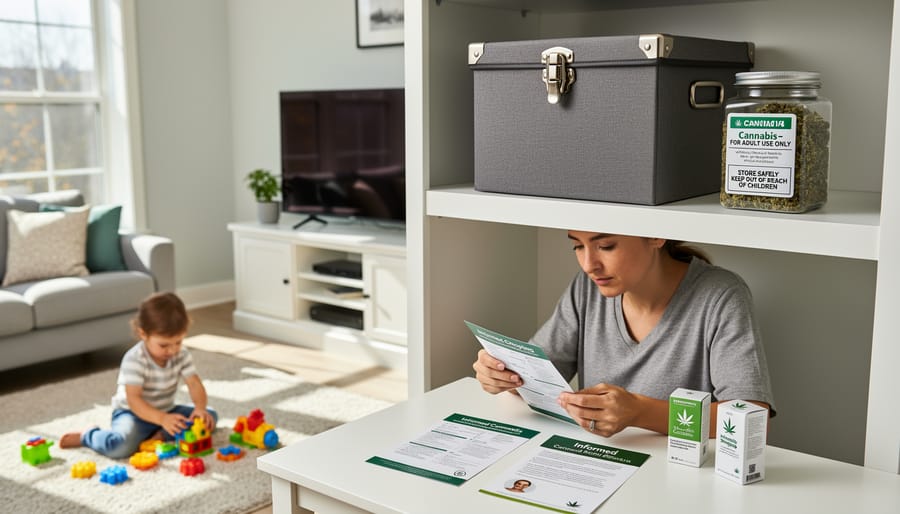
A good comparison app saves you time, but it can’t make the safety calls for you. A few habits help whether you’re using Hibuddy, a retailer’s website, or a walk-in menu.
Stick with licensed retailers. Hibuddy pulls menus from government-licensed retailers, which is a sensible starting point. Still, confirm that the shop you click through to is licensed where you live.
Check what’s legal near you. Cannabis and hemp rules differ by location and change over time, so a quick look at your local regulations is worth doing before you order.
Read the details. Product pages often list ingredients and lab information. Take a minute with them. The same care applies when you choose vape oil: the cheapest option isn’t always the best fit for you.
Start low and go slow. If you’re new, begin with a small amount and give it time before deciding you want more. I’ve seen plenty of first-timers rush this part, and patience almost always pays off.
Store everything safely. Keep products locked away or well out of reach of kids and pets, ideally in their original packaging.
Never drive impaired. Plan your ride home before you start, no exceptions.
At Sigma CBD Vaping, we care most about responsible, informed use. Finding a fair price is great, but it works best alongside these habits.
Common Questions About Hibuddy
Quick answers to the questions readers ask most, based on what’s confirmed about the app.
Is Hibuddy free?
Yes, the app is free to use. Any purchase you make happens with the retailer, so check their storefront for final pricing.
Which devices does it support?
Hibuddy is available on iPhone and iPad. If you’re hoping for Android or other platforms, check the app’s official listing for current details rather than assuming.
Does Hibuddy sell products itself?
No, it works as a comparison tool. It gathers menu items, prices, and deals from government-licensed retailers, and for most listed prices you’re one click from your local retailer’s online storefront to place your order.
Can I browse by brand, and what about deals?
You can browse by category or brand, or search for a specific product to see the latest prices from retailers in your area. There’s also a deals section highlighting the best offers near you.
A couple of details aren’t confirmed, so I won’t guess at them. Supported regions and who the app is designed for are best checked directly in the official app listing, where current information lives. Since availability and offerings can change, that’s also the smartest place to confirm anything you’re unsure about before you rely on it.
The same habit applies to every deal you spot: treat the app as a starting point, then verify the price, terms, and product details on the retailer’s own page before you buy.
So, here’s the short version. Hibuddy is a free app for iPhone and iPad that pulls menus, prices, and deals from government-licensed retailers into one place. You can browse by category or brand, search for a specific product, check the deals section for your area, and for most listings you’re one click from the retailer’s own storefront to place your order.
Think of it as one handy tool, not the whole toolbox. A good price is nice, but it works best alongside the habits we’ve covered: buying from licensed retailers, confirming details on the storefront, reading product information, and going low and slow if you’re new. Comparing prices saves time and money. Staying informed keeps you safe.
If you’re curious about the wider world of CBD and vaping, there’s plenty more waiting for you here at Sigma CBD Vaping. Pull up a chair, explore at your own pace, and happy (and responsible) shopping.